
1、snippets
render 传参
jsx
// 方式一
{% render 'learn', title: "my title" %}

// 方式二
{% render 'learn',{ title: 'my title', desc: "my desc" } %}片段里写好注释,以供开发者阅读
jsx
{% comment %}
  Render a first word and second word

  Accepts:
  - title: {String} the first word
  - desc: {String} the second word

  Usage:
  {%  render 'learn', { title: title_variable, desc: desc_variable } %}
{% endcomment %}
<p>{{ title }}- {{ desc }}</p>2、section
2.1、初体验
jsx
<p class="title">
  {{ section.settings.title }}
</p>

<style>
  .title {
    text-align: {{section.settings.title-aligment}};
  }
</style>

{% schema %}
{
  "name": "Learn Section",
  "class": "learn-section",
  "tag": "div",
  "settings": [
    {
      "type": "text",
      "label": "Title",
      "id": "title",
      "default": "hello world"
    },
    {
      "type": "select",
      "label": "Title Aligment",
      "id": "title-aligment",
      "options": [
        {
          "value": "left",
          "label": "Left"
        },
        {
          "value": "center",
          "label": "Center"
        },
        {
          "value": "right",
          "label": "Right"
        }
      ],
      "default": "left"
    }
  ],
  "blocks": [
    {
      "type": "promotion",
      "name": "Promotion",
      "settings": [
        {
          "type": "text",
          "id": "title",
          "label": "Title"
        },
        {
          "type": "image_picker",
          "id": "image",
          "label": "Image"
        }
      ]
    }
  ],
  "presets": [
    {
      "name": "learn-section"
    }
  ]
}
{% endschema %}2.2、settings 类型
2.2.1、text
jsx
<h2>Text Setting</h2>
<p>{{ section.settings.text_setting }}</p>

{% schema %}
	"settings": [
    {
      "type": "text",
      "id": "text_setting",
      "label": "Text Setting",
      "default": "This is text_setting",
      "info": "This is some helper text",
    }
	]
{% endschema %}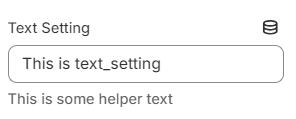
2.2.2、textarea
jsx
<h2>Textarea Setting</h2>
<p>{{ section.settings.textarea_setting | newline_to_br }}</p>

{% schema %}
	"settings": [
    {
      "type": "textarea",
      "id": "textarea_setting",
      "label": "Textarea Setting",
      "info": "This is some helper text"
    }
	]
{% endschema %}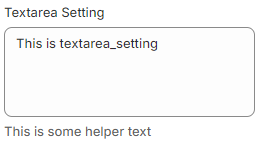
2.2.3、richtext
jsx
<h2>Richtext Setting</h2>
<p>{{ section.settings.richtext_setting }}</p>

{% schema %}
	"settings": [
    {
      "type": "richtext",
      "id": "richtext_setting",
      "label": "Richtext Setting",
      "default": "<p>This is richtext_setting</p>",
      "info": "This is some helper text"
    }
	]
{% endschema %}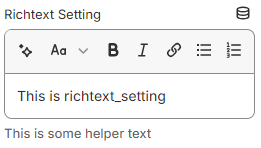
2.2.4、inline_richtext
jsx
<h2>Inline Richtext Setting</h2>
<p>{{ section.settings.inline_richtext_setting }}</p>

{% schema %}
	"settings": [
    {
      "type": "inline_richtext",
      "id": "inline_richtext_setting",
      "label": "Inline Richtext Setting",
      "default": "<span>This is inline_richtext_setting</span>",
      "info": "This is some helper text"
    }
	]
{% endschema %}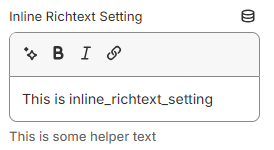
2.2.5、number
jsx
<h2>Number Setting</h2>
<p>{{ section.settings.number_setting }}</p>

{% schema %}
	"settings": [
    {
      "type": "number",
      "id": "number_setting",
      "label": "Number Setting",
      "default": 1,
      "info": "This is some helper text"
    }
	]
{% endschema %}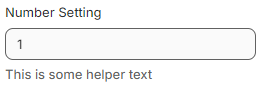
2.2.6、range
jsx
<h2>Range Setting</h2>
<p>{{ section.settings.range_setting }}</p>

{% schema %}
	"settings": [
    {
      "type": "range",
      "id": "range_setting",
      "label": "Range Setting",
      "min": 0,
      "max": 10,
      "step": 0.5,
      "unit": "px",
      "default": 0,
      "info": "This is some helper text"
    }
	]
{% endschema %}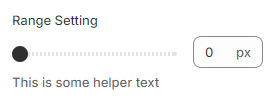
2.2.7、select
jsx
<h2>Select Setting</h2>
<p>{{ section.settings.select_setting }}</p>

{% schema %}
	"settings": [
    {
      "type": "select",
      "id": "select_setting",
      "label": "Select Setting",
      "info": "This is some helper text",
      "options": [
        {
          "value": "option1",
          "label": "option 1",
          "group": "group-1"
        },
        {
          "value": "option2",
          "label": "option 2",
          "group": "group-1"
        },
        {
          "value": "option3",
          "label": "option 3",
          "group": "group-2"
        }
      ]
    }
	]
{% endschema %}- 有分组
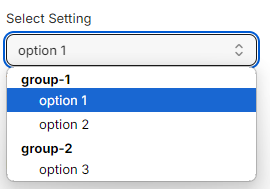
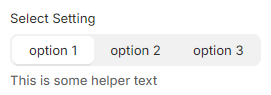
- 无分组
2.2.8、checkbox
jsx
<h2>Checkbox Setting</h2>
<p>{{ section.settings.checkbox_setting }}</p>

{% schema %}
	"settings": [
    {
			"type": "checkbox",
      "id": "checkbox_setting",
      "label": "Checkbox Setting",
      "default": true,
      "info": "This is some helper text"
    }
	]
{% endschema %}
2.2.9、radio
jsx
<h2>Radio Setting</h2>
<p>{{ section.settings.radio_setting }}</p>

{% schema %}
	"settings": [
    {
			"type": "radio",
      "id": "radio_setting",
      "label": "Radio Setting",
      "info": "This is some helper text",
      "options": [
        {
          "value": "options1",
          "label": "options 1"
        },
        {
          "value": "options2",
          "label": "options 3"
        },
        {
          "value": "options3",
          "label": "options 3"
        }
      ]
    }
	]
{% endschema %}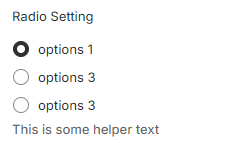
2.2.10、color
jsx
<h2>Color Setting</h2>
<p>{{ section.settings.color_setting }}</p>

{% schema %}
	"settings": [
    {
			"type": "color",
      "id": "color_setting",
      "label": "Color Setting",
      "default": "#00ffff",
      "info": "This is some helper text"
    }
	]
{% endschema %}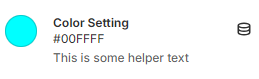
2.2.11、color_background
jsx
<h2>Color Background Setting</h2>
<p>{{ section.settings.color_background_setting }}</p>

{% schema %}
	"settings": [
    {
			"type": "color_background",
      "id": "color_background_setting",
      "label": "Color Background Setting",
      "info": "This is some helper text"
    }
	]
{% endschema %}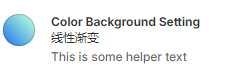
2.2.12、image_picker
jsx
<h2>Image Picker Setting</h2>

{{
  section.settings.image_picker_setting
  | image_url: width: 200
  | image_tag: style: 'height:100px; object-fit: contain;'
}}

<img
  src="{{section.settings.image_picker_setting |  image_url }}"
  alt="image"
  width="200"
  height="100"
>

{% schema %}
	"settings": [
    {
			"type": "image_picker",
      "id": "image_picker_setting",
      "label": "Image Picker Setting",
      "info": "This is some helper text"
    }
	]
{% endschema %}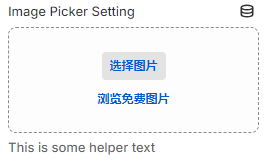
image_tag 渲染结果
html<img src="//zhishou-test.myshopify.com/cdn/shop/files/rice.jpg?v=1725335618&width=200" alt="image" srcset=" //zhishou-test.myshopify.com/cdn/shop/files/rice.jpg?v=1725335618&width=200 200w " width="200" height="112" style="height:100px; object-fit: contain;" />img 标签渲染结果
html<img src="//zhishou-test.myshopify.com/cdn/shop/files/rice.jpg?v=1725335618" alt="image" width="200" height="100" />
2.2.13、video
jsx
<h2>Video Setting</h2>
{{
  section.settings.video_setting
  | video_tag:
    controls: true,
    image_size: '600x',
    style: 'width: 300px; height: 200px; object-fit: contain; border: 1px solid red;'
}}

{% schema %}
	"settings": [
    {
			"type": "video",
      "id": "video_setting",
      "label": "Video Setting",
      "info": "This is some helper text"
    }
	]
{% endschema %}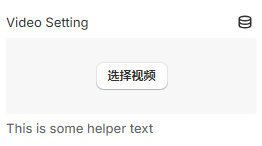
video_tag 渲染结果
html<video playsinline="playsinline" controls="controls" style="width: 300px; height: 200px; object-fit: contain; border: 1px solid red;" preload="metadata" aria-label="倒计时" poster="//zhishou-test.myshopify.com/cdn/shop/files/preview_images/rice_600x.jpg?v=1725344345" > <source src="//zhishou-test.myshopify.com/cdn/shop/videos/c/vp/a564ca56acd248da9c08e95cf620bb33/a564ca56acd248da9c08e95cf620bb33.SD-480p-0.9Mbps-34119009.mp4?v=0" type="video/mp4" /> <img alt="倒计时" src="//zhishou-test.myshopify.com/cdn/shop/files/preview_images/rice_600x.jpg?v=1725344345" /> </video>
2.2.14、video_url
jsx
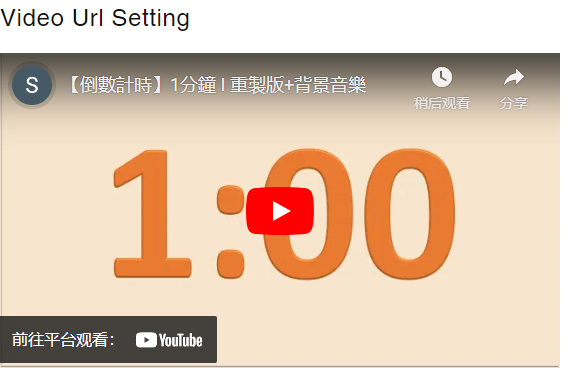
<h2>Video Url Setting</h2>
<iframe
  width="560"
  height="315"
  src="https://www.youtube.com/embed/{{section.settings.video_url_setting.id}}"
  title="YouTube video player"
  frameborder="0"
  allow="accelerometer; autoplay; clipboard-write; encrypted-medai; gyroscope, picture-in-picture; web-share"
  allowfullscreen
></iframe>

{% schema %}
	"settings": [
    {
			"type": "video_url",
      "id": "video_url_setting",
      "label": "Video Url Setting",
      "accept": ["youtube"],
      "info": "This is some helper text"
    }
	]
{% endschema %}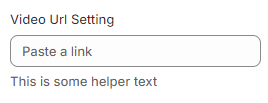
- 渲染结果
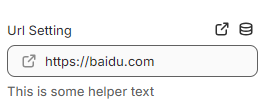
2.2.15、url
jsx
<h2>Url Setting</h2>
<a href="{{section.settings.url_setting}}">Url Setting</a>

{% schema %}
	"settings": [
    {
			"type": "video_url",
      "id": "video_url_setting",
      "label": "Video Url Setting",
      "accept": ["youtube"],
      "info": "This is some helper text"
    }
	]
{% endschema %}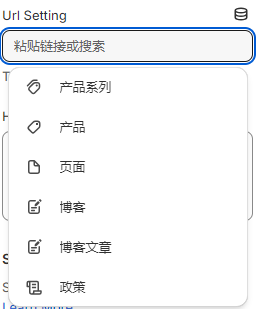
2.2.16、html
jsx
<h2>HTML Setting</h2>
{{ section.settings.html_setting }}

{% schema %}
	"settings": [
    {
			"type": "html",
      "id": "html_setting",
      "label": "HTML Setting",
      "default": "<div>hello world</div>",
      "info": "This is some helper text"
    }
	]
{% endschema %}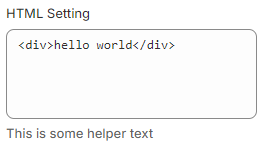
2.2.17、header
jsx
{% schema %}
	"settings": [
    {
			"type": "header",
      "content": "Site Resource Settings",
      "info": "Setting related to Shopify Resource. [Learn More](https://shopify.dev)"
    }
	]
{% endschema %}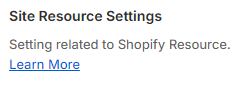
2.2.18、liquid
jsx
<h2>Liquid Setting</h2>
{{ section.settings.liquid_setting }}

{% schema %}
	"settings": [
    {
			"type": "liquid",
      "id": "liquid_setting",
      "label": "Liquid Setting",
      "default": "{{ 10 | plus: 10 }}",
      "info": "This is some helper text"
    }
	]
{% endschema %}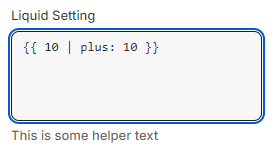
- 渲染结果

2.2.19、product
jsx
<h2>Product Setting</h2>
{{ section.settings.product_setting }}

{% schema %}
	"settings": [
    {
			"type": "product",
      "id": "product_setting",
      "label": "Product Setting",
      "info": "This is some helper text"
    }
	]
{% endschema %}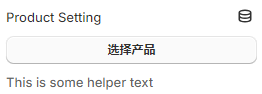
2.2.20、product_list
jsx
<h2>Product List Setting</h2>
{% for product in section.settings.product_list_setting %}
  <p>
    {{ product.title }}
  </p>
{% endfor %}

{% schema %}
	"settings": [
    {
			 "type": "product_list",
      "id": "product_list_setting",
      "label": "Product List Setting",
      "info": "This is some helper text",
      "limit": 2
    }
	]
{% endschema %}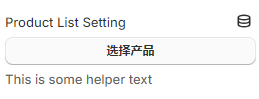
2.2.21、collection
jsx
<h2>Collection Setting</h2>
{{ section.settings.collection_setting }}

{% schema %}
	"settings": [
    {
      "type": "collection",
      "id": "collection_setting",
      "label": "Collection Setting",
      "info": "This is some helper text"
    }
	]
{% endschema %}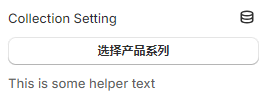
2.2.22、collection_list
jsx
<h2>Collection List Setting</h2>
{% for collection in section.settings.collection_list_setting %}
  <p>
    {{ collection.title }}
  </p>
{% endfor %}

{% schema %}
	"settings": [
    {
 			"type": "collection_list",
      "id": "collection_list_setting",
      "label": "Collection List Setting",
      "info": "This is some helper text",
      "limit": 2
    }
	]
{% endschema %}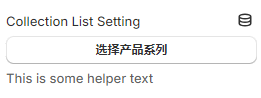
2.2.23、page
jsx
{% schema %}
	"settings": [
    {
			"type": "page",
      "id": "page_setting",
      "label": "Page Setting",
      "info": "This is some helper text"
    }
	]
{% endschema %}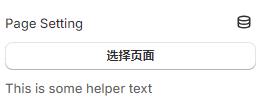
2.2.24、article
jsx
{% schema %}
	"settings": [
    {
      "type": "article",
      "id": "article_setting",
      "label": "Article Setting",
      "info": "This is some helper text"
    }
	]
{% endschema %}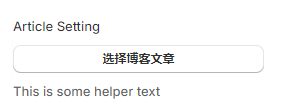
2.2.25、blog
jsx
{% schema %}
	"settings": [
    {
      "type": "blog",
      "id": "blog_setting",
      "label": "Blog Setting",
      "info": "This is some helper text"
    }
	]
{% endschema %}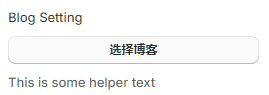
2.2.26、link_list
jsx
{% schema %}
	"settings": [
    {
 			"type": "link_list",
      "id": "link_list_setting",
      "label": "Link List Setting",
      "info": "This is some helper text"
    }
	]
{% endschema %}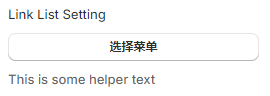
2.2.27、text_alignment
jsx
<h2 style="text-align: {{section.settings.text_alignment_setting}};">
  Text Alignment Setting
</h2>

{% schema %}
	"settings": [
    {
 			"type": "text_alignment",
      "id": "text_alignment_setting",
      "label": "Text Alignment Setting",
      "default": "center",
      "info": "This is some helper text"
    }
	]
{% endschema %}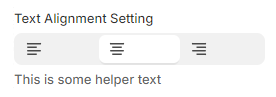
2.2.28、font_picker
jsx
<h2>Font Setting</h2>
<p>Font setting: {{ section.settings.font_picker_setting.family }}</p>
<style>
  {{ section.settings.font_picker_setting |  font_face: font_display: 'swap'}}

  .learn-section * {
    font-family: {{ section.settings.font_picker_setting.family }};
  }
</style>

{% schema %}
	"settings": [
    {
 			"type": "font_picker",
      "id": "font_picker_setting",
      "label": "Font Picker Setting",
      "default": "helvetica_n4",
      "info": "This is some helper text"
    }
	]
{% endschema %}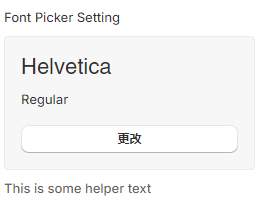
2.3、blocks
jsx
<h2>Blocks</h2>
{% for block in section.blocks %}
  {% if block.type == 'section_product' %}
      {% assign title = block.settings.title
      | default: block.settings.product.title
    %}
  {% endif %}
  <p>{{ title }}</p>
{% endfor %}

{% schema %}
"blocks": [
    {
      "type": "section_product",
      "name": "Product",
      "settings": [
        {
          "type": "product",
          "id": "product",
          "label": "Product"
        },
        {
          "type": "text",
          "id": "title",
          "label": "Title",
          "info": "Optional. Will override the Product is title"
        },
        {
          "type": "image_picker",
          "id": "image",
          "label": "Image",
          "info": "Optional. Will override the Product is image"
        }
      ],
      "limit": 1
    }
  ],
{% endschema %}2.4、presets
同一组件不同表现形式
javascript
{% schema %}
 "presets": [
    {
      "name": "learn-section"
    },
    {
      "name": "learn-section-next",
      "settings": {
        // key是setting中定义的id值
        "text_setting": "next text_setting”
      },
      "blocks": [
        {
          "type": "section_product",
          "settings": {
            // key是setting中定义的id值
            "product": "next aaaa",
            "title": "next bbbb"
          }
        }
      ]
    }
  ]
{% endschema %}2.5、limit
现在组件在模板中被调用的次数
jsx
"limit": 2,2.6、tag
组件最终的标签
jsx
"tag": "section",2.7、class
组件类名
jsx
"class": "learn-section",2.8、index
组件在模板中的顺序
jsx
{
	{
		section.index
	}
}2.9、id
组件 id
jsx
{
	{
		section.id
	}
}2.10、disabled_on
禁用该组件
jsx
disabled_on: {
	template: ['']
}2.11、enabled_on
启用用该组件
jsx
enabled_on: {
	template: ['']
}2.12、样式编写规则
2.12.1、外部文件
多个组件时会出现重复引用的情况,但资源只会加载一次
javascript
{
	{
		;'learn-section.css' | asset_url | stylesheet_tag
	}
}2.12.2、标签内部
缺点:多个组件会实例化多个 style,使得文件体积增大
html
<style>
	h1 {
		color: red;
	}
</style>2.12.3、使用变量
javascript
//  css文件里
h2 {
  color: var(--test-color);
}

<h2 style="--test-color: {{section.settings.color_setting }}">Text Setting</h2>2.13、脚本编写规则
2.13.1、外部文件
html
<script
	src="{{ 'learn-section.js' | asset_url }}"
	defer
></script>2.13.2、标签内部
html
<script>
	const num = 10
</script>3、template
3.1、liquid 模板
组件顺序不可调整,模板数据写入到config/setting_data.json中
3.2、json 模板
组件顺序可调整,模板数据写入到模板json文件中
4、组件
定义组件
javascript
class AllProduct extends HTMLElement {
	index = 0
	constructor() {
		super()

		this.loadMoreButton = this.querySelector('.button')
		this.grid = this.querySelector('.grid')
		this.productsPerRow = this.dataset.productsPerRow

		this.loadMoreButton.addEventListener(
			'click',
			this.loadMoreProducts.bind(this)
		)
	}

	async loadMoreProducts() {
		console.log('loadMoreButton click')
	}
}

customElements.define('all-products', AllProduct)使用组件
javascript
<script src="{{'all-products.js' | asset_url }}" defer></script>

<div class="section-container">
  <all-products data-product-pre-row="{{ section.settings.product_per_row }}">
    <div
      class="grid"
      style="--item-per-row: {{ section.settings.product_per_row }}"
    >
      {% for product in collections.all.products
        limit: section.settings.product_per_row
      %}
        {% render 'card-product', card_product: product %}
      {% endfor %}
    </div>
    <button class="button">Load More</button>
  </all-products>
</div>

{% schema %}
{
  "name": "All Products",
  "tag": "section",
  "settings": [
    {
      "type": "number",
      "id": "product_per_row",
      "label": "Product Per Row"
    }
  ],
  "presets": [
    {
      "name": "All Products"
    }
  ]
}
{% endschema %}